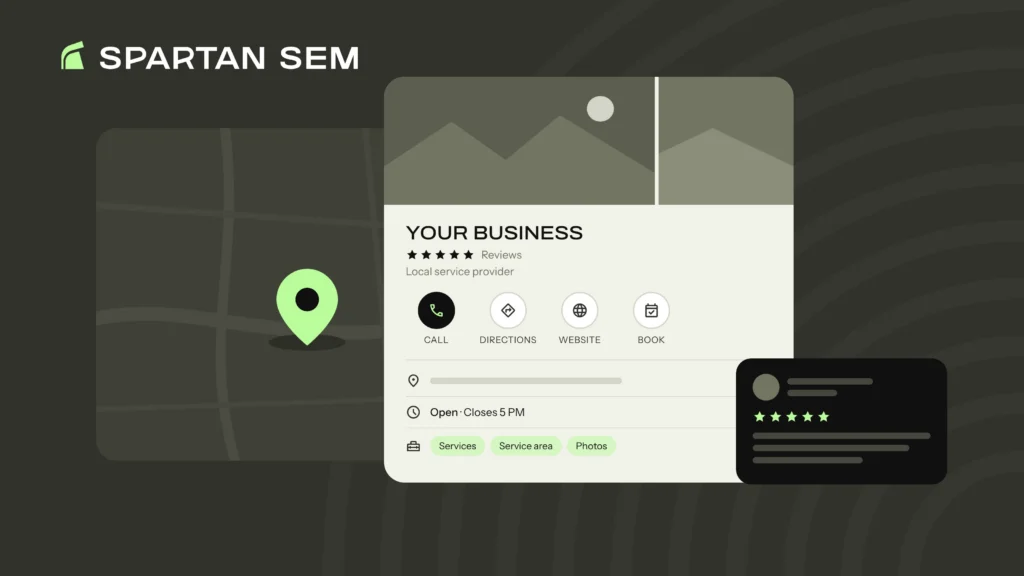
Your Google Business Profile, or GBP, may be one of the first things a potential customer sees. Before visiting your website, they may scan your services, read reviews, look through photos, and decide whether to call.
Many businesses give those customers little beyond an address, phone number, and opening hours. Those details are useful, but other profile fields help explain whether your business offers what the customer needs.
That information also matters as more people use AI tools to research local providers. Business listings, customer reviews, and website content help supply the information those tools draw on when answering questions.
A useful local online search strategy connects those sources. Your GBP, website, and listings on online directories should accurately describe your services and availability.
Customers Need More Than Your Address and Hours
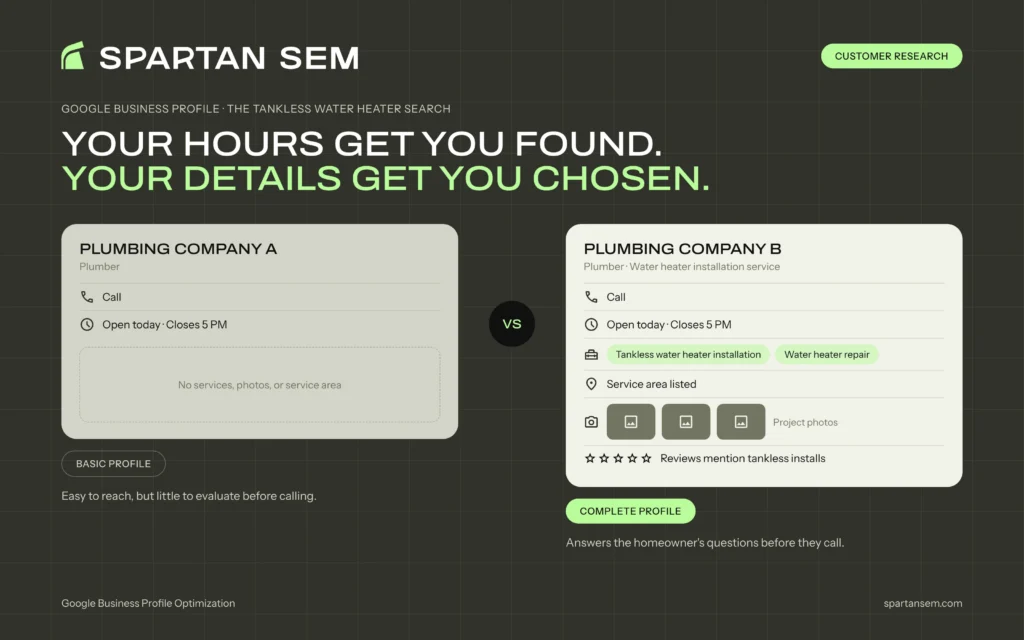
Imagine a homeowner searching for someone to replace a tankless water heater. Several plumbing companies appear, but their profiles provide different levels of detail.
One lists a phone number and business hours only. Another identifies tankless water heater installation, explains its service area, and shows relevant project photos. The second profile answers more of the homeowner’s questions, giving them something specific to evaluate before calling.
The same applies across industries. A parent wants to know whether a dental office treats children. A property manager needs a roofing company with commercial experience. Someone seeking physical therapy wants to understand which conditions a clinic treats.
Your profile should help customers move from finding your name to understanding whether you can help.
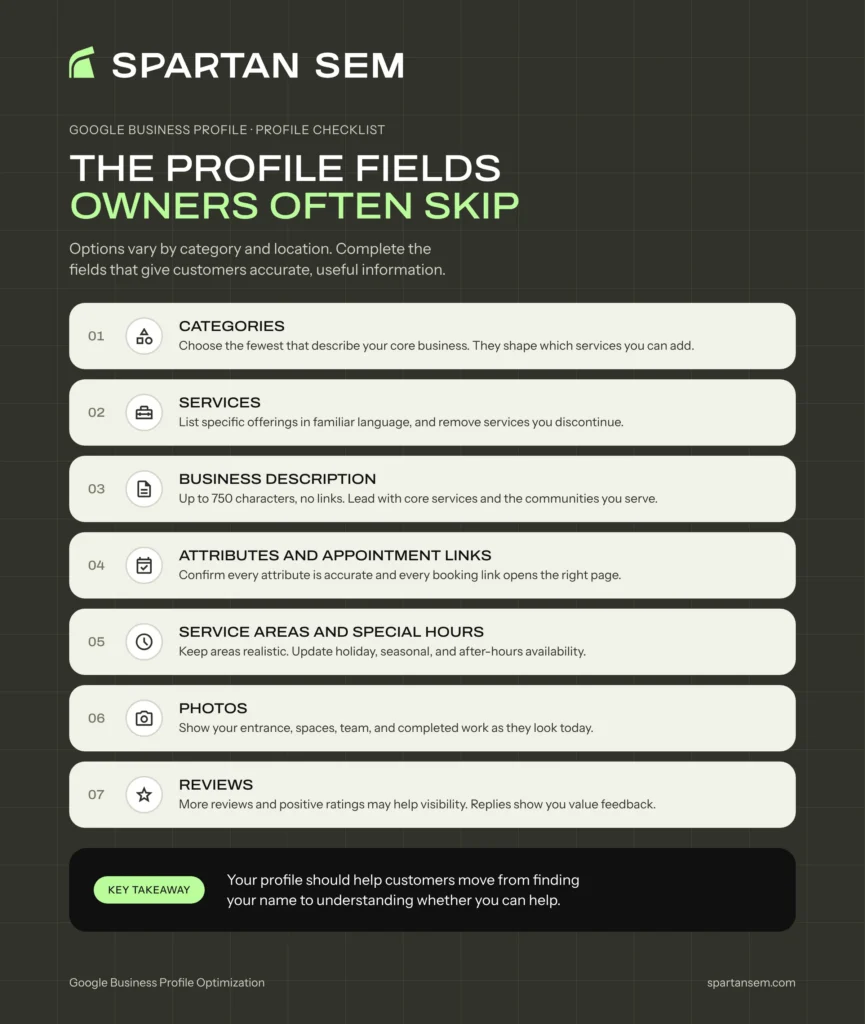
The Google Business Profile Fields Owners Often Skip
Profile options vary by business category and location. Review the fields available to your business and complete those that provide accurate, useful information.
Primary and Additional Categories
Categories describe the kind of business you operate. Your primary category should closely match your core business, with additional categories covering other relevant parts of your operation. Check whether your current selections still reflect your work. A category chosen when the business opens may become less appropriate as services change.
Google’s category guidance recommends selecting the fewest categories needed to describe your core business. Choose based on what your business does and how customers understand it.
Categories also shape which services you can add to your profile, since Google groups services under each category. A missing or mismatched category may leave useful service options out of reach.
Individual Services
A general category leaves many questions unanswered. A customer who finds a plumbing company still needs to know whether it repairs sewer lines or installs water heaters.
Where the services feature is available, list specific offerings using familiar language. Add descriptions when they help clarify the work.
Useful details might include:
- Equipment types you install or repair.
- Residential or commercial services available to different customers.
- Specific treatments or procedures offered by a practice.
- Repair and replacement options within a service category.
Google’s services documentation says a listed service may be highlighted on your profile when local customers search for that offering. Keep the list current and remove services you discontinue.
Custom services can fill gaps when Google’s suggested list misses something you offer. Google may reject custom entries that include prices, phone numbers, or unrelated text, so keep each entry focused on the work itself. Each listed service should also have support on your website. A customer who sees a service on your profile but finds little about it on your site may keep comparing other providers.
Business Description
Your description should briefly explain what you do, whom you serve, and what customers should know before contacting you.
Google’s business information guidelines limit the description to 750 characters and do not allow links. Lead with your core services and the communities you serve, since many readers may not expand the full text.
Avoid filling the space with phrases such as “quality service” or “customer satisfaction.” Those statements provide little help to someone comparing providers. A more useful description identifies your main services and gives relevant context. For example, a contractor might explain that it handles residential repairs and installations within a defined service area.
Use details you can support. Claims about certifications, specialties, or experience should match your website and current business capabilities. Promotions and pricing generally fit better in posts or offers than in the description.
Attributes and Appointment Links
Available attributes can help customers evaluate practical needs, such as accessibility or service options. Review them carefully. An incorrect attribute may create an expectation your team cannot meet. The options you see depend on your category, so revisit them after any category change.
Where appointment links are available, test the destination. Customers should reach a working booking page or clear instructions for requesting an appointment.
If you use an online scheduler, confirm the link opens the correct location and appointment type. A booking page for the wrong office can make a frustrating first impression.
Service Areas and Special Hours
A service area tells customers where your team travels. Keep it realistic and consistent with the work you accept.
Google’s guidelines for representing your business ask for an accurate, precise address or service area. A service-area business that lists a sprawling region may attract calls it is not able to take.
Update holiday hours, temporary closures, and seasonal schedules so customers know when they can reach you. If you offer emergency appointments or after-hours repairs, explain when those services are available and how to request them. Include any scheduling requirements, such as calling ahead or booking an appointment before visiting.
Keep these details consistent across your profile and website. Someone dealing with a leaking pipe or urgent dental problem needs to know whether your team is available today. Clear hours and contact instructions help them decide whether to call, book online, or arrange a later appointment.
Photos That Reflect Your Current Business
Current photos help customers recognize your location, see your work, and understand what to expect before contacting you. Include:
- Exterior photos showing your entrance, signage, and parking so first-time visitors can find the right place.
- Interior photos showing reception areas, treatment rooms, or customer spaces to help people prepare for their visit.
- Project photos illustrating completed work, including examples of the specific services customers are researching.
- Team photos introducing the people customers may meet during an appointment or service call.
- Equipment and service photos showing the tools, vehicles, or facilities your team uses to perform its work.
Replace photos after a move, renovation, or rebrand, and add relevant examples as your services change.
Reviews That Answer Customer Questions
Customer reviews can answer different questions. Someone comparing contractors may look for comments about communication, scheduling, or the experience of a particular service.
Reviews can also support visibility. Google’s local ranking guidance says more reviews and positive ratings may help, and replying shows customers you value their feedback.
When using testimonials on your website, preserve their meaning and attribution. Place them near relevant services so readers can understand the experience being described.
How Google Business Profile Optimization Affects Local Rankings
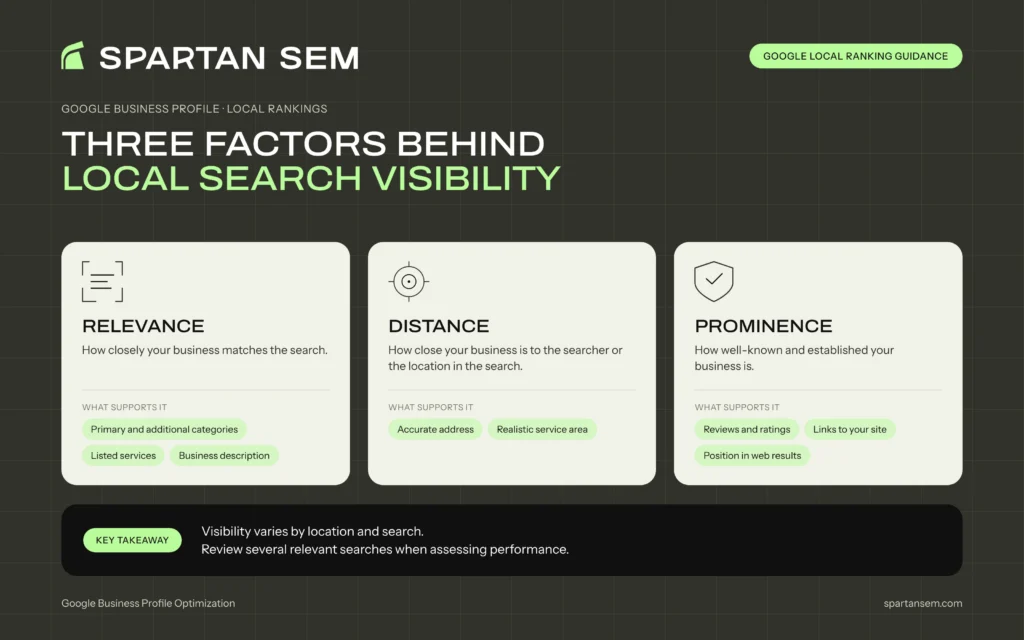
Google says complete and accurate business information can help profiles appear in relevant local searches. Its local ranking guidance identifies three main considerations.
- Relevance describes how closely your business matches the search. Accurate categories and service details help Google understand what you offer.
- Distance considers how close your business is to the searcher or the location named in the search.
- Prominence reflects how well-known your business is, including reviews, links, and its position in web results.
These factors explain why visibility varies by location and search. Your business may appear prominently near its office and less often across town. Results can also differ between a general category search and a request for a specific service. Review several relevant searches and locations when assessing performance.
To optimize your profile, focus on accurate information and useful connections to your website.
- Describe services naturally. Use terms customers recognize, such as drain cleaning, water heater installation, preventive dental care, or emergency appointments. Repeating city and service phrases throughout the profile makes it harder to read.
- Use your actual business name. Match the name on your signage and business materials. Adding unrelated service or city keywords can violate Google’s guidelines and put your listing at risk.
- Support profile details on your website. If you list a service, provide a page explaining what it involves, whom it serves, and how to request help.
- Publish posts with a clear purpose. Share relevant announcements, offers, or events and link to a matching website page. Google’s posts documentation describes these customer uses, while its ranking guidance does not identify posting frequency as a direct factor.
- Keep time-sensitive posts current. Google archives posts older than six months unless a date range is set. Give offers and events accurate dates, and review content when promotions end.
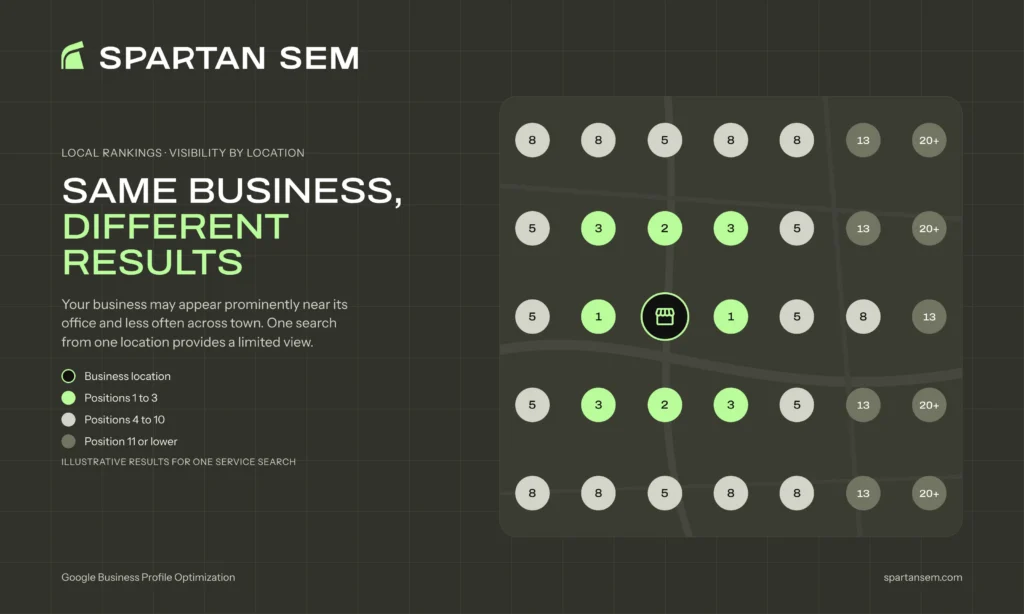
A complete profile improves how accurately your business is represented, but rankings still depend on the search and competitive conditions. Likewise, a ranking change after publishing posts or editing your profile does not establish what caused it.
Track AI visibility separately. A strong Google Maps position provides limited insight into how another platform answers a detailed customer question. Record which businesses appear, what services the answer describes, and which sources it references.
AI Search Draws on More Than Your Google Profile
How AI Tools Answer Local Questions
People can ask AI tools detailed questions about local businesses. Instead of searching a single word like “roofer,” someone might ask for a contractor who repairs metal roofs. Answering that question requires information about individual services. A business name and address provide only part of the answer.
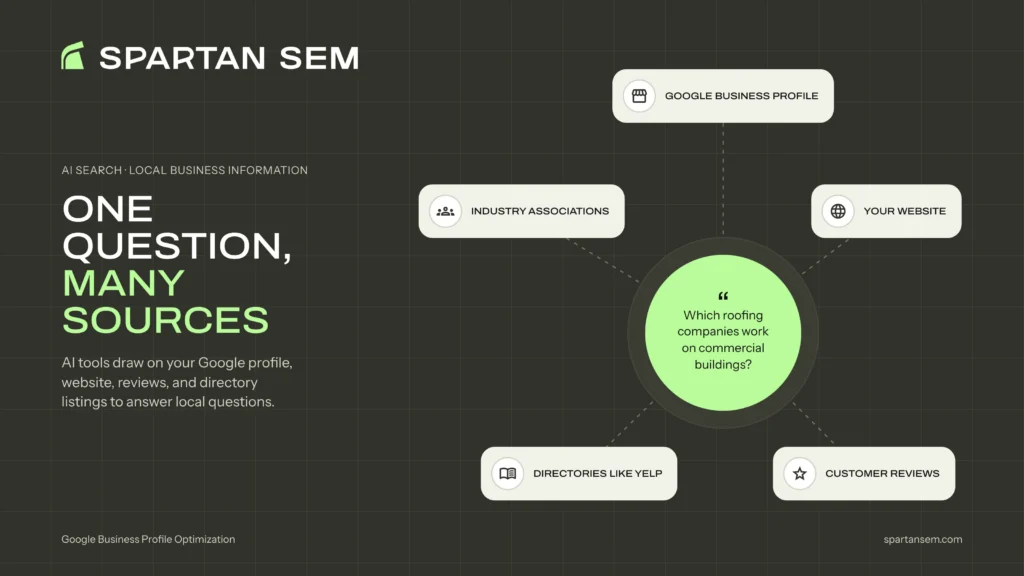
Different tools use different sources. In March 2026, Google introduced Ask Maps, a Gemini-powered feature that answers detailed questions using place information and community reviews. OpenAI’s ChatGPT search documentation explains that it sometimes works with third-party search providers and can use location information to find local results.
That makes your public business information relevant beyond the original listing. Descriptions, reviews, and other details may contribute to answers presented elsewhere.
A completed profile creates more opportunities for your services to be understood. Whether an AI tool recommends your business still depends on the question, location, available sources, and platform. Answers can also vary by person, since Google says Ask Maps may personalize responses based on places someone has searched for or saved.
A strong GBP helps, but it is one source among several. Websites, reviews, directories, and partner data may all feed the same answer.
Directories and Citations Help Feed Those Answers
Your Google profile is one source of information about your business. Customers may also encounter professional directories, industry associations, and other local and online listings.
Those pages can contain service descriptions, photos, reviews, contact information, and links to your website. They may appear during a customer’s research or supply information through platform partnerships.
Yelp provides a concrete example. In July 2026, the company confirmed it is licensing reviews, photos, and other business information to OpenAI for use in ChatGPT responses. Yelp also licenses its content to other platforms.
Listings on trusted directories give search engines and AI tools more places to find information about your business. That information can help shape answers even when customers never visit the directory itself.
Keep your business name, address, and phone number—often called NAP—consistent across your website, Google profile, and relevant directories. Your services, website links, and availability should also agree so each source presents an accurate picture of your business.
For example, a roofing company might describe commercial roof repairs on its website, Google profile, and an established industry directory. Those matching details give AI tools supporting information when someone asks for a commercial roofing contractor.
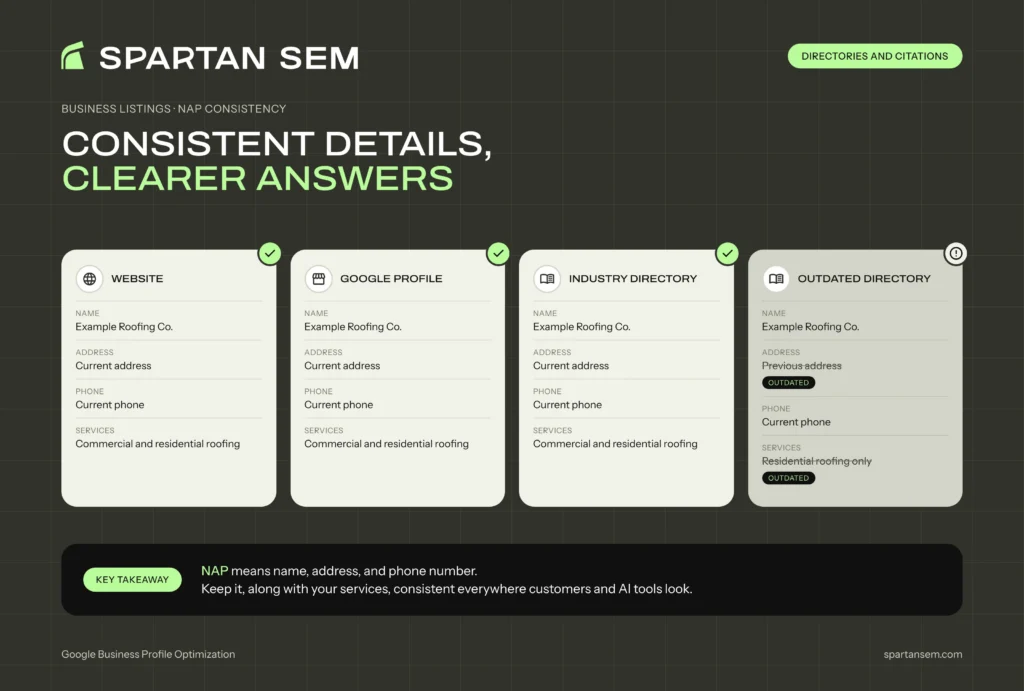
Outdated listings can complicate that picture. An old address may leave questions about where you operate. A listing that mentions only residential roofing leaves out services that could make your business relevant to a customer’s request.
Focus on trusted sites connected to your industry and community, including Yelp, professional associations, and established industry directories. Customers may also find these listings directly while comparing providers.
Descriptions can use different wording, but the facts should line up. Consistent information makes your business easier to identify and describe accurately. An AI recommendation still depends on the customer’s question, location, and how well your services match their needs.
Auditing What Customers and AI Tools Find About Your Business
Begin with a short audit of your most important public information.
- Review your Google profile. Check categories, services, descriptions, attributes, hours, photos, and links.
- Compare your website. Confirm it supports the services and availability described in your profile.
- Check important third-party listings. Look for old addresses, incorrect phone numbers, missing services, or outdated descriptions.
- Test realistic customer questions. Use specific service needs and locations when reviewing AI answers.
- Record the sources. Note which pages support an answer and whether the information accurately represents your business.

Fix errors that keep customers from reaching you first, such as a wrong address or a broken booking link. Missing services, mismatched categories, outdated photos, and thin website pages can follow.
If an AI answer contains an error, investigate the source before changing content. The problem might come from an old directory, a review, or an unclear website page.
Bring Your Local Search Efforts Together

A well-managed Google Business Profile helps customers understand your services and contact your business. It is one part of a larger effort that includes your website, business listings, reviews, and ongoing content updates.
Business owners already have enough to manage without checking every listing, page, and profile for gaps. Spartan SEM helps coordinate those details so your local search efforts work together. Our team reviews how your business appears online and prioritizes improvements that support accurate information, relevant visibility, and customer inquiries.
Contact Spartan SEM to discuss how we can help manage your SEO and keep the pieces working together.
Let’s Talk About Your SEO Goals
Tell us what you want your website to accomplish, and we’ll help you identify where to focus first.
Talk With Spartan SEM